Virtual Number (DIDs)
This document describes the Virtual Number (DIDs) page in the Teliqon Portal, including available virtual numbers, filtering, searching, CSV download, table columns, spam status tooltip, sorting, and pagination controls. It explains how users can review DID information for their project and understand the controls available on the page.
General Information
On the Virtual Number (DIDs) page, you can find information about the virtual numbers of your project on the Teliqon portal.
You can access this page from the left-hand side menu:
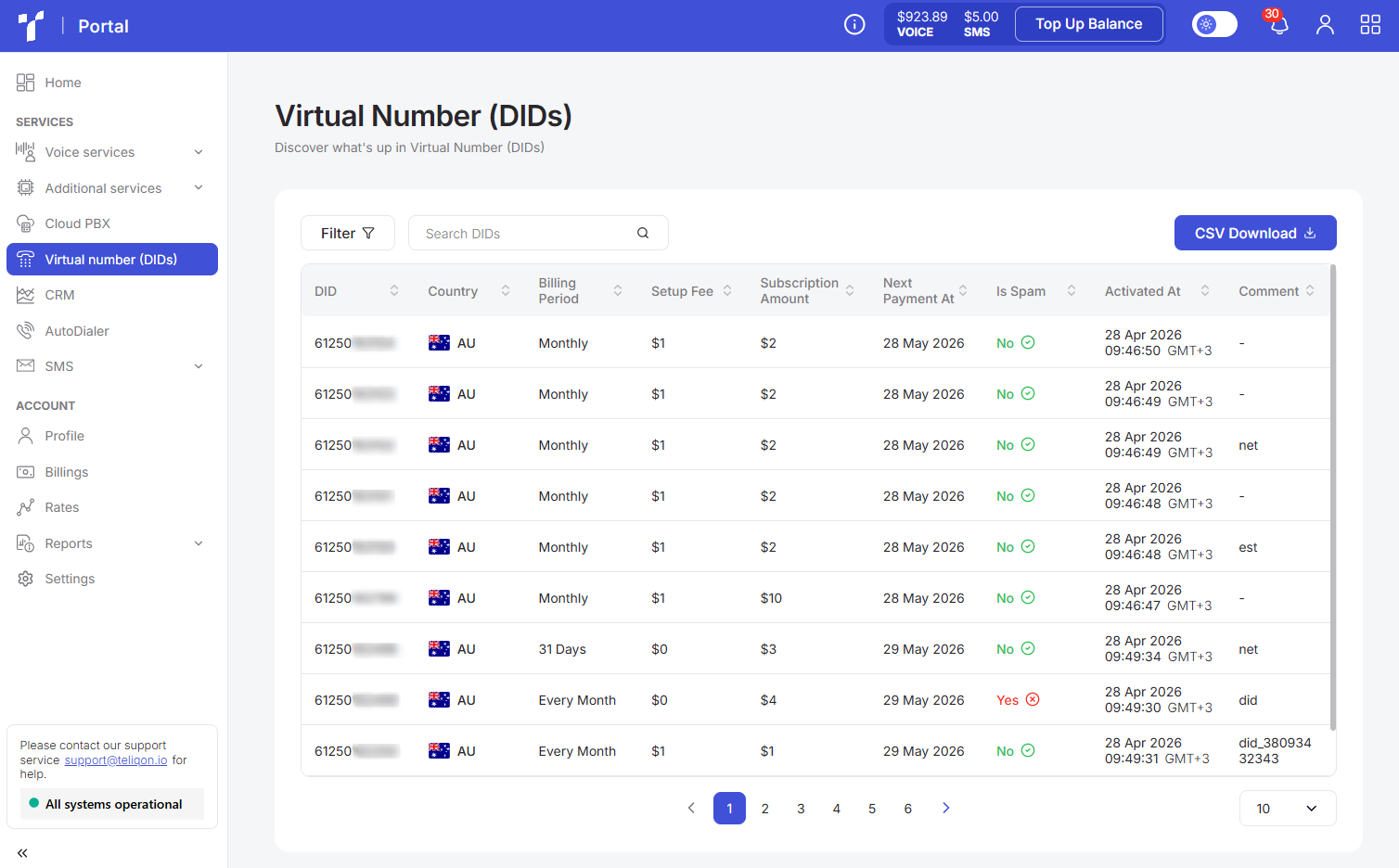
Virtual numbers are assigned to your project exclusively by our support team and cannot be added manually. IMPORTANT: Mandatory identity verification is required before numbers can be assigned. You can complete this process in your Portal account or by contacting technical support.
The Virtual Numbers page contains the following blocks:
-
Top toolbar;
-
Virtual numbers list;
-
Bottom toolbar.
Top toolbar
The top toolbar consists of the following elements:

- Filter button. To filter data by country code (Direction Code) on the page, click the Filter button, and the following filtering window will open:
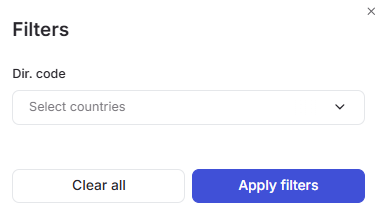
You can select one or more parameters from the dropdown list.
-
The Search field is designed for quickly finding the required data based on full or partial text matches exclusively in the DIDs column. To start a search in the list, simply enter more than one character into the input field and click the Search button or press Enter on your keyboard.
-
CSV Download button. This button allows you to save all or filtered records to your computer in .csv format. To obtain a selection of specific data, you must first configure the filtering parameters and then click the button.
Virtual numbers list
All virtual numbers available in your project are displayed in the list.
The list appears as follows:

The virtual numbers table contains the following columns:
-
DID - the number you purchased for your project and will use for calls.
-
Country - the country of the number.
-
Billing period - the payment period.
-
Setup Fee - a one-time fee for purchasing and setting up the number.
-
Subscription Amount - the monthly maintenance cost of the number.
-
Next Payment At - the date of the next phone number rental charge.
-
Is Spam - indicates whether the number is classified as spam or not.
-
Activated At - the date the number was activated.
-
Comment - a comment on the number from the Teliqon portal, if applicable.
Hovering over the value in the Is Spam column will display a tooltip, where you can view information regarding the last verification of the number:
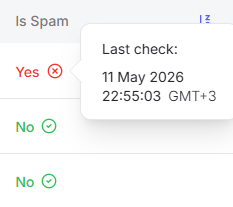
A value sorting function is available in the table. To activate this option, click the arrow next to the column name, and the data will be automatically sorted in ascending order. To change the order to descending, click the same arrow again.

Bottom toolbar
The bottom toolbar looks as follows:

It provides the following options:
-
Use page pagination;
-
Select the number of rows per page. The following options are available:
a. 10 per page;
b. 15 per page;
c. 25 per page;
d. 50 per page;
e. 100 per page;
f. 250 per page.
Cloud PBX
This document describes the Cloud PBX page in the Teliqon Portal, including monitoring information, virtual PBX settings, purchased Cloud PBX solutions, toolbars, tariff plan actions, and statistics pages. It explains the available controls, table columns, filtering, sorting, and pagination options for managing Cloud PBX solutions.
Anti-Spam Recommendations
Practical recommendations for protecting DID numbers from spam labels and maintaining a good calling reputation.


