Account Rates Guide
This page describes the Rates section in the Teliqon portal. It explains how to view tariffs, use filters, sort rate data, and manage pagination options.
General information
On the Rates page, you can view information about the rates available for your project in the Teliqon portal. You can access this page from the side menu on the left:
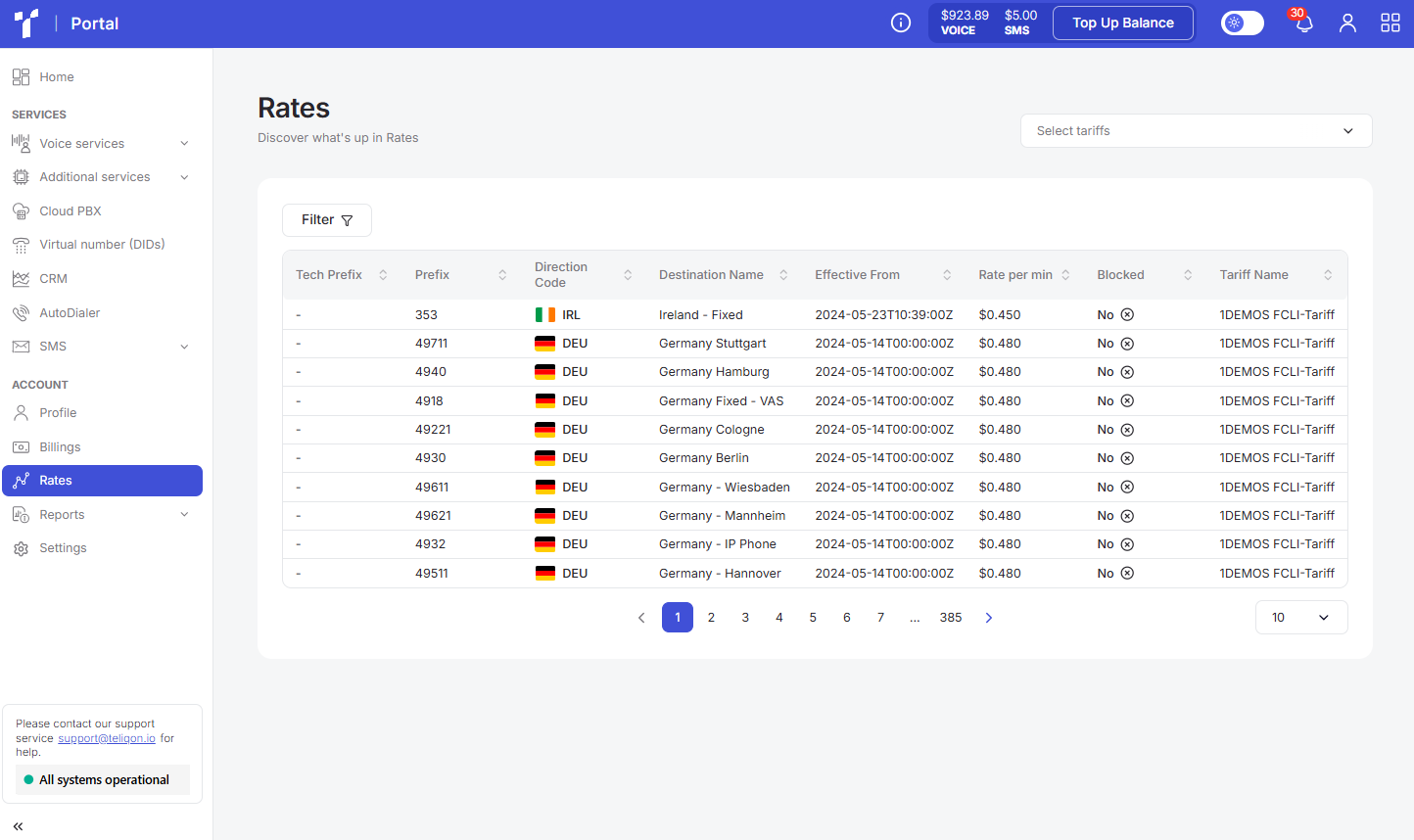
The page contains the following elements:
- Top toolbar;
- The list of rates;
- Bottom toolbar.
Top toolbar
The top toolbar consists of the following elements:
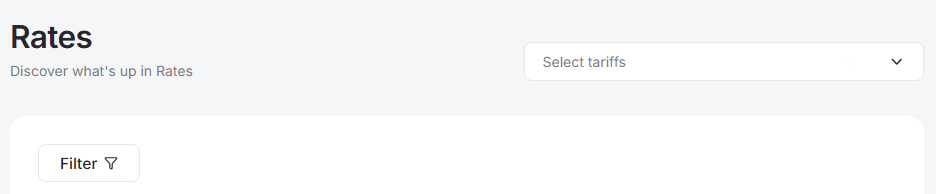
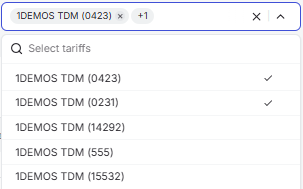
- Tech Prefix selection field. You can select one or multiple options:
- Filter. To filter the data on the page, you need to click the Filter button, which will open the following filtering window:
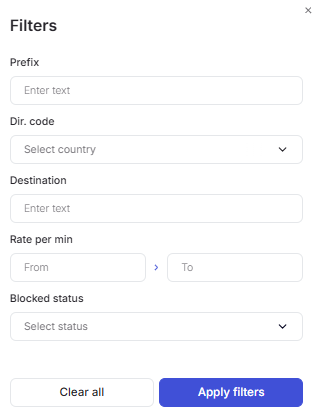
- Prefix: filter by the prefix or country code (sub-code) used for call routing. For example, in the United Kingdom (code +44), the prefix 447 corresponds to mobile numbers, while 441 or 442 refers to landlines. Prefixes are recognized by character length: if 44 is the general country code for the UK, the longer combination 442 specifically identifies a fixed line.
- Dir. Code: filter by ISO country codes; allows you to select one value from the provided list.
- Destination: the name of the direction (country or specific zone) corresponding to a certain prefix. For example, for prefix 441, the destination would be “United Kingdom - Fixed”.
- Rate per min: filter by the cost of one minute (60 seconds) of conversation in USD. The value is entered manually using the keyboard.
- Blocked status: filter by the availability status of a specific prefix in the rate plan. Certain specific codes may be intentionally blocked and listed in the rates to inform the client of restrictions. For example, in the United Kingdom, prefix 449 (Premium Rate Services) is often blocked. Additionally, you can combine all filters to narrow down your search.
Once you have selected the necessary filters, click the Apply filters button. If you want to reset all filter values, click Clear all.
The list of rates
All tariffs available to the project are displayed in a list:
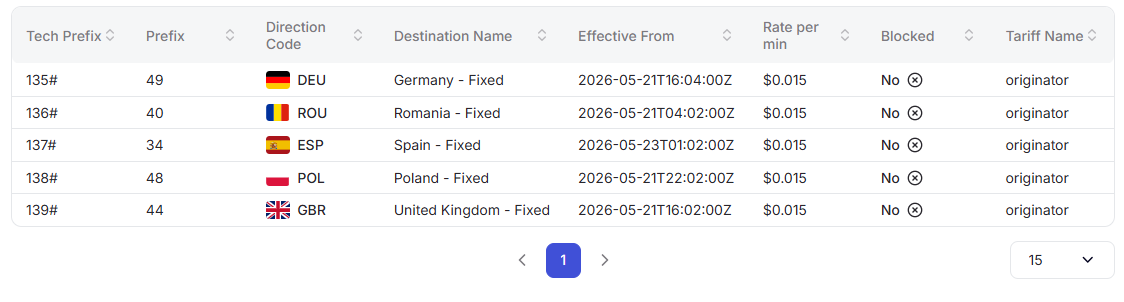
A value sorting function is available in the table. To activate this option, click the arrow next to the column name, and the data will be automatically sorted in ascending order. To change the order to descending, click the same arrow again.

The tariff list consists of the following parameters:
- Tech Prefix – used when the same destination (country) has different tariffs.
- Prefix – this is the prefix or country code (sub-code) to which calls are routed. For example, in the UK (country code +44), there is the prefix 447, which corresponds to mobile numbers. Similarly, 441 or 442 corresponds to landline numbers. Prefixes are usually read by length. For example, 44 is the general prefix (also the country code) for the UK, but 442 refers to fixed-line numbers.
- Direction Code – ISO country codes (ISO 3166-1 alpha-3).
- Destination name – according to the Prefix, these are the names of destinations (codes, sub-codes). For example, the 441 prefix = “United Kingdom - Fixed”.
- Effective From – the date and time when the tariff was applied in the billing system.
- Rate per min – the cost of a call per 1 minute (60 seconds), in USD.
- Blocked – the status of a specific prefix (code, sub-code) in the tariff. Some specific prefixes might be intentionally blocked and are specifically mentioned in the tariffs to ensure the client is aware of this. For example, in the UK (+44 country code), prefixes like 449 are often blocked because they are premium rate service (PRS) codes.
- Tariff name – the name of the regulation that determines the cost and technical parameters of traffic termination for a specific destination. It sets the price per minute, routing conditions by prefix, and channel specifications, including “CLI” support (Caller Line Identification). For example, the name “Default - CLI” indicates a tariff with guaranteed display of the caller's number.
Bottom toolbar
The bottom toolbar looks as follows:

It provides the following options:
- Use page pagination;
- Select the number of rows per page. The following options are available:
a. 10 per page;
b. 15 per page;
c. 25 per page;
d. 50 per page;
e. 100 per page;
f. 250 per page.
Account Billings Guide
This document describes the Billings page in the Teliqon Portal, including how users can view top-ups and deductions from the project voice balance. It explains the top toolbar, filtering options, transaction history table, export action, sorting, total expenditures, and bottom toolbar pagination controls.
Account Reports Guide
This document describes the Reports page in the Teliqon Portal, where summary reports are available for Calls and SMS. It covers filters, grouping options, CSV export, report parameters, sorting behavior, and bottom toolbar pagination for both report types.


