User menu
This document describes the User menu in the Teliqon Autodialer dashboard. It explains the menu elements available for Admin, Manager, and Agent accounts, including theme and language controls, service switching, phone and microphone controls, profile actions, and logout.
General Information
The User menu is located at the top of the screen, aligned with the Teliqon logo.

The user menu for Admin, Manager, and Agent accounts shares several common elements: the ability to toggle the theme and language, as well as manage account settings.
However, there are a few key differences, which are detailed below.
Admin account
The user menu in the Admin dashboard consists of the following elements:

-
Theme toggle to switch between light and dark modes.
-
Language selection. The interface is available in Ukrainian and English.
-
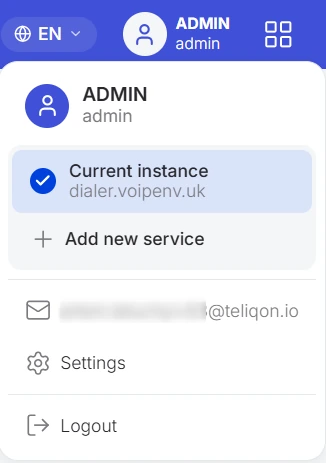
User Profile Avatar. Clicking on it opens a dropdown menu where you can:
-
View the interface of your current service and quickly switch between other services (if you have multiple services added);
-
Add a new service;
-
View the email address used for authorization;
-
Go to the account management page (for more details on this section, see the Settings document);
-
Log out of the dialer dashboard.
- The Teliqon Products and Services (SSO) icon - clicking this button in the top right corner opens a modal window featuring all available Teliqon solutions.
With Single Sign-On (SSO) technology, you can switch between different services with a single click (for example, quickly navigate to the “Portal” or “CRM” from the dialer interface) without having to log in again.
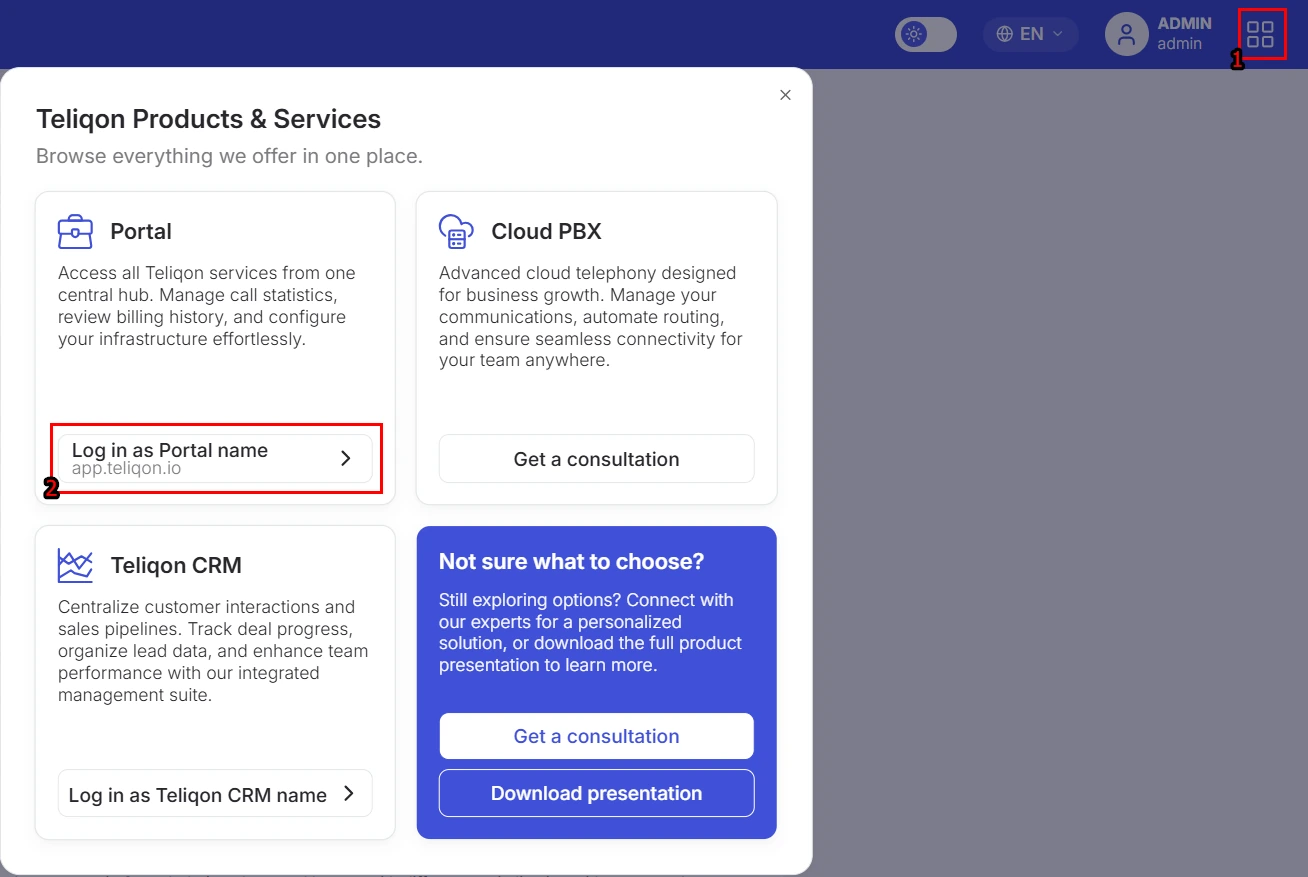
Additionally, in this same window, you can request a consultation by clicking the “Get a consultation” button - this will open a window where you can select an available time slot to connect with a manager. You can also download a product presentation by clicking the “Download presentation” button.
Manager account
The user menu in the Manager dashboard consists of the following elements:

- Phone button. Clicking this button opens a WebRTC client pop-up window, allowing you to manually dial a lead's number and call them without leaving the dialer system.
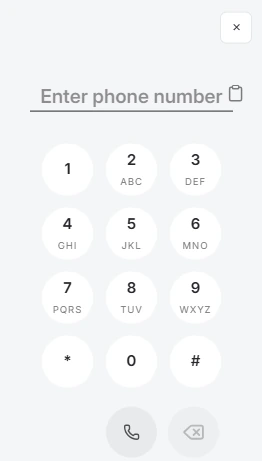
Please note: this button is not available if the account is configured with a SIP connection (in this case, call management is handled directly within the softphone or on the device).
-
Microphone button. This button allows you to mute or unmute your microphone during a call or while listening in on an active call. Please note: this button is unavailable if the account is configured with a SIP connection (in this case, audio controls are handled directly within the softphone or hardware device).
-
Theme toggle. Switch between light and dark modes.
-
Language selection. Choose your preferred interface language. Ukrainian and English are currently available.
-
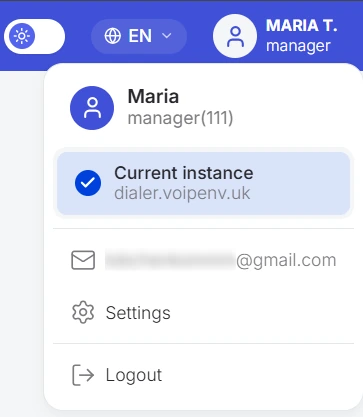
User Profile Avatar. Clicking on it opens a dropdown menu where you can:
-
View the interface of the current service;
-
View the email address used for authorization;
-
Go to the account management page (for more details on this section, see the Settings document);
-
Log out of the dialer dashboard.
Agent account
The user menu in the Agent dashboard consists of the following elements:

-
Voice test. Clicking this button allows you to check your audio quality. Detailed information can be found here.
-
Status management. By clicking the status button, you can select your current agent status. Detailed information can be found here.
-
Microphone control. This button allows you to mute or unmute your microphone. Described here. Please note: this button is unavailable if the account is configured with a SIP connection (in this case, audio controls are handled directly within the softphone or hardware device).
-
Theme toggle to switch between light and dark modes.
-
Language selection. The interface is available in Ukrainian and English.
-
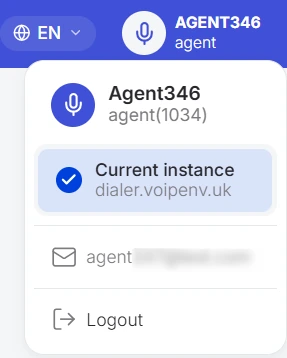
User Profile Avatar. Clicking on it opens a dropdown menu where you can view your current service, check the email address used for authorization, or log out of the dialer dashboard.
Agent’s Dashboard Overview
This document describes the agent dashboard overview in the Teliqon Autodialer Software personal account. It explains how agents log in, pass health checks, manage statuses, handle calls, use feedback, change passwords, and run a voice test.
Dashboard
This document describes the Dashboard page in the Teliqon Autodialer Software system. It explains how to monitor active campaigns, active agents, and live call statistics, including filters, call monitoring actions, agent statuses, and real-time call data.


