Managers
This document describes the Managers section in the Teliqon Autodialer Software system. It explains how to view managers assigned to a project, search the managers list, sort table data, and customize table columns.
General Information
In the Managers section, you can view information about the managers assigned to your project in the Teliqon Autodialer software.
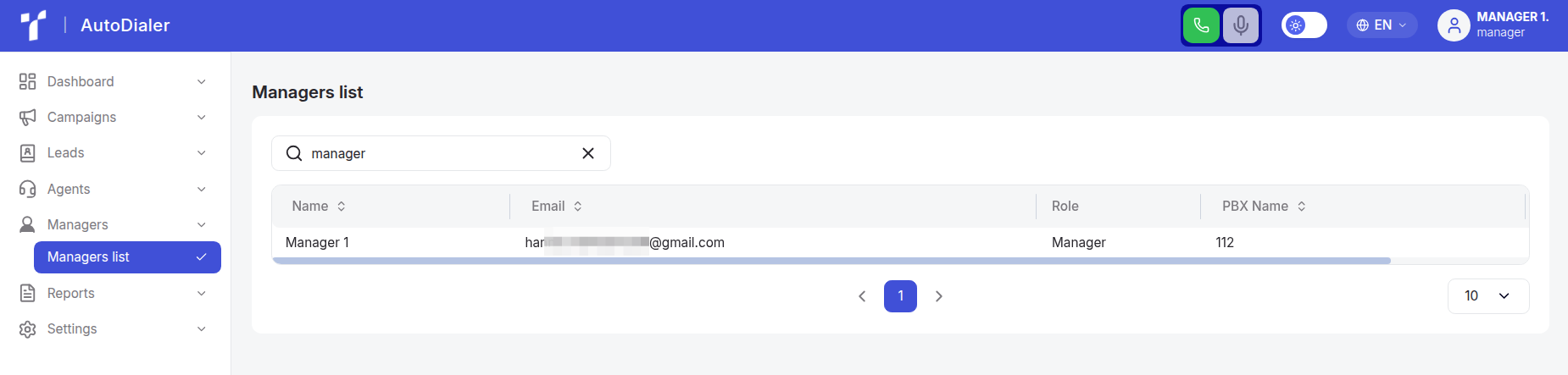
This section consists of a single page - “Managers List”.
Managers are members of your project team who manage leads and campaigns, configure the dialer, and monitor agent performance.
The functions for adding, editing, and deleting managers from the system are to project administrators.
Managers list
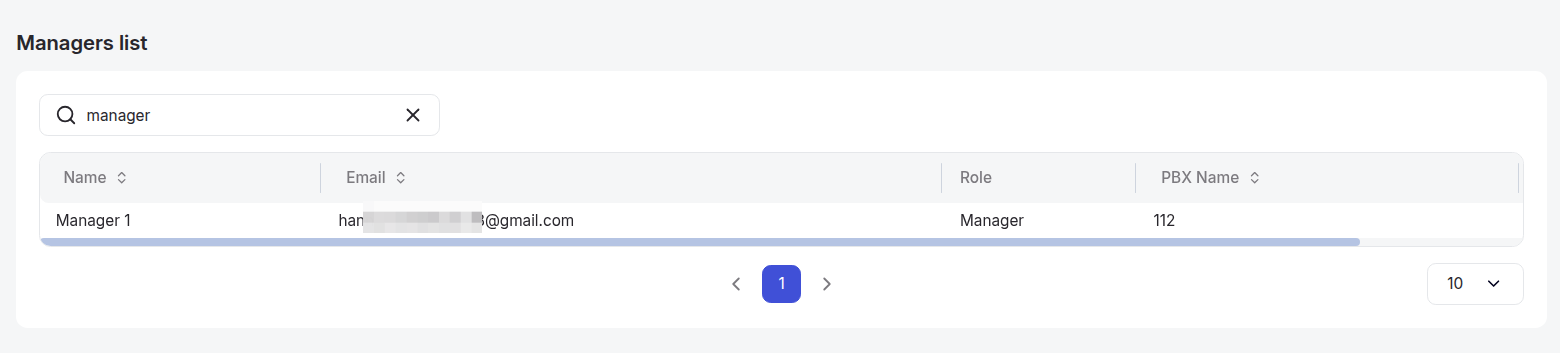
The Managers List page contains the following sections:
-
Toolbar with a search bar. Using this page search you can quickly find the manager you need by their name or email address. To start searching, simply enter more than one character in the search field, and the system will automatically begin the search. The search is case-sensitive, so for accurate results, make sure to use the correct uppercase and lowercase letters.
-
A managers table containing the following columns:
a. Name;
b. Email;
c. Role;
d. PBX name.
Next to some column headers in the Managers List table, there are two arrows.

Clicking the arrow next to a column header will sort the data in that column in ascending order.
To sort in descending order, click the arrow again.
You can also customize table columns individually. To do this, click the “Settings” icon:

In the window that opens, you can adjust column width, hide specific fields from the list, and change their order.
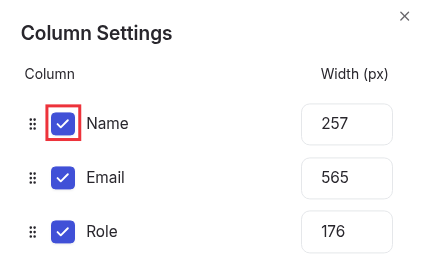
To change the order, hover over the dots icon. When the cursor changes to a hand, click and hold the selected column with the left mouse button and drag it to the desired position.
All changes are applied automatically and reflected in the interface instantly. If you want to restore the default column settings, click the “Reset to Default” button.
Agents
Agent and agent group management in Teliqon Autodialer Software.
Reports
This document describes the Reports page in the Teliqon Autodialer Software system. It explains how to use CDR, Campaign statistics, and Agent statistics reports for call quality control, campaign effectiveness, and staff performance monitoring.


